Excel · JSON
Convert Excel to JSON
Drop an Excel workbook or CSV file and download it as JSON: one section per sheet, each a table with its header row and rows. Your file is read in your browser and never uploaded.
● Runs in your browser. Your files are never uploaded.- Output: .json, .md
- Scans: OCR in 100+ languages
- Free: 15 files a day
.pdf.jpg.png.docx.pptx.xlsx.xls.csv.txtNo file to hand? (a made-up 6-page PDF).
What you get
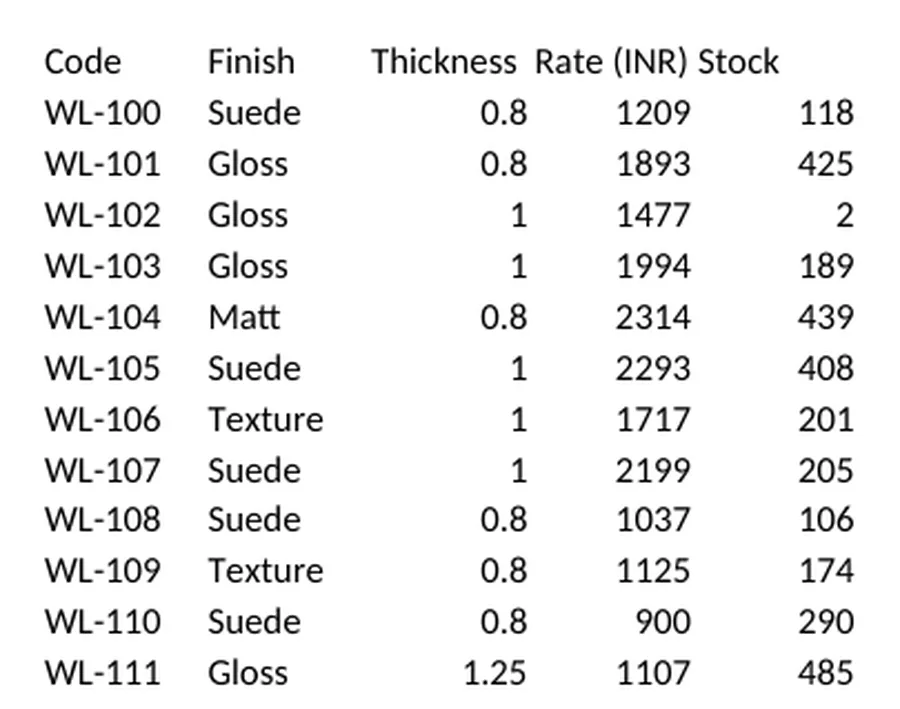
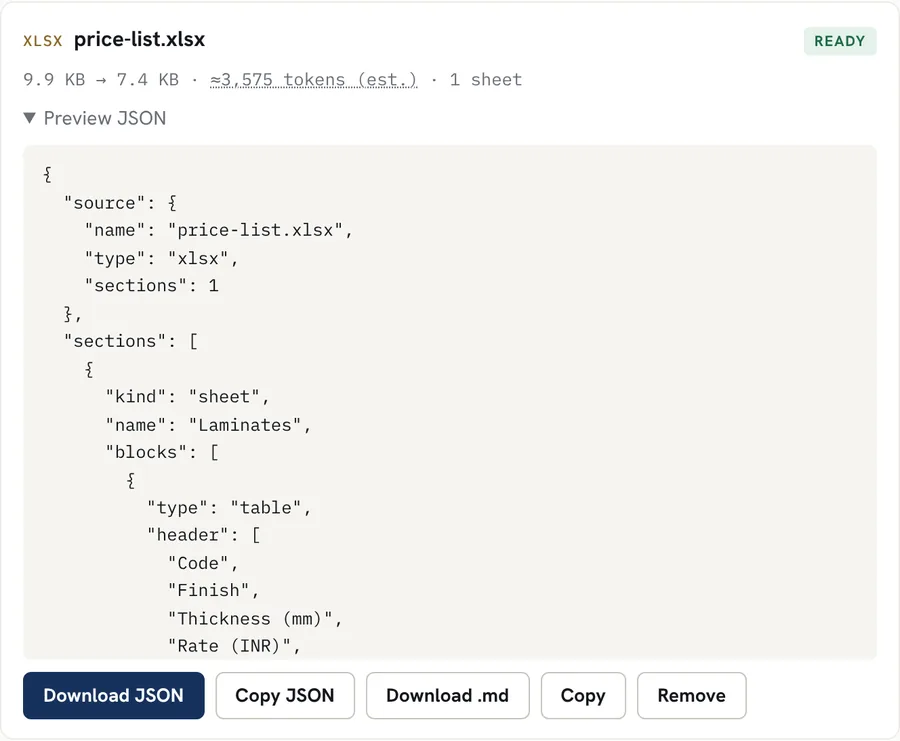
Each sheet becomes a table with a header row and rows of cell values. Real result for a sample file with made-up data; download the sample and try it above.
Good for
- Turning a price list or a data sheet into JSON for an app or an API test
- Moving spreadsheet data into a database import step
- Giving an AI tool a sheet as structured rows
- Checking the values a workbook really holds, including hidden sheets (marked)
Worth knowing
- Values are text, shown the way Excel displays them (for example 1,200.50). Numbers are not converted to JSON numbers, so nothing is guessed.
- Formulas are read as their last saved result. A formula with no saved result comes out blank.
- The first row of each sheet is treated as the header. Sheets with a title above the data need that row removed first.
- Charts, images and cell colours are not read.
How it works
- Drop your file into the box above, or tap to choose it. Several files at once work too.
- The file is converted inside your browser. Scanned pages and images are read with OCR in the languages you pick.
- Preview the Markdown, copy it, or download it as a .md file.
Questions
Is my file uploaded?
No. The file is read inside your browser tab and the JSON is built there. Nothing is sent to our servers.
What does the JSON look like?
A "sources" object, then one section per sheet with its name. Each sheet holds a "table" block with a "header" list and "rows", a list of lists of text.
Why are numbers text?
Excel stores both a number and how it is displayed. The converter keeps what you see, so a code like 000123 or a price like 1,200.50 stays exactly as shown. Convert to numbers in your own code where you know which columns are amounts.