PowerPoint · JSON
Convert PowerPoint to JSON
Drop a PowerPoint file and download its text as JSON: one section per slide, in presentation order, with the title, text, bullet lists, tables and speaker notes. Your file is read in your browser and never uploaded.
● Runs in your browser. Your files are never uploaded.- Output: .json, .md
- Scans: OCR in 100+ languages
- Free: 15 files a day
.pdf.jpg.png.docx.pptx.xlsx.xls.csv.txtNo file to hand? (a made-up 6-page PDF).
What you get
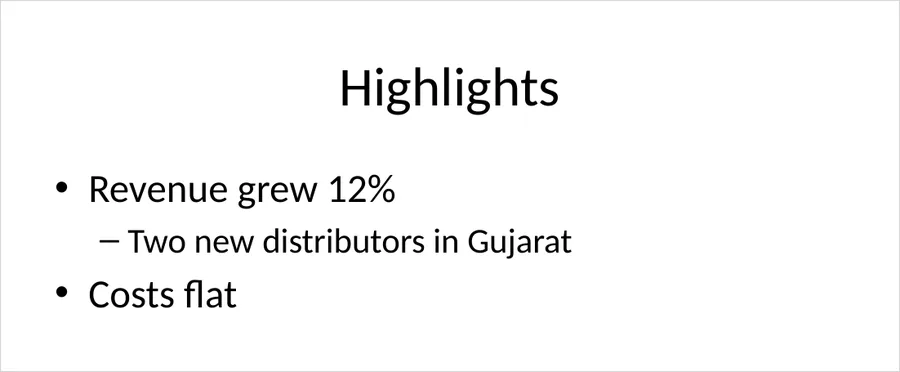
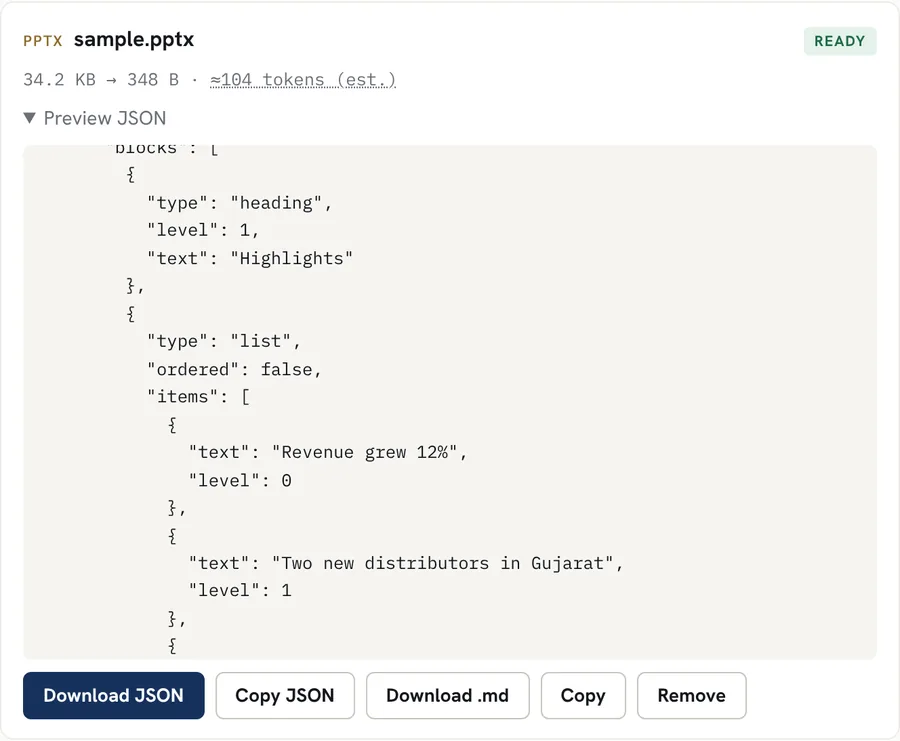
One section per slide: titles, bullet lists with their levels, tables and speaker notes. Real result for a sample file with made-up data; download the sample and try it above.
Good for
- Getting the text out of a deck for an AI tool, a search index or a translation step
- Listing every slide title and bullet in a presentation
- Pulling a table off a slide as data
- Keeping speaker notes together with their slides
Worth knowing
- Only .pptx files work. Old .ppt files need to be saved as .pptx in PowerPoint first.
- Text inside pictures, charts and SmartArt is not read. Text typed into the chart or diagram shapes may be missing.
- Reading order follows the order shapes were added to the slide, which can differ from how the slide looks.
- Slide masters, comments and animations are not read.
How it works
- Drop your file into the box above, or tap to choose it. Several files at once work too.
- The file is converted inside your browser. Scanned pages and images are read with OCR in the languages you pick.
- Preview the Markdown, copy it, or download it as a .md file.
Questions
Is my file uploaded?
No. The file is read inside your browser tab and the JSON is built there. Nothing is sent to our servers.
What does the JSON look like?
A "source" object, then one "slide" section per slide with its number and a list of blocks: the title as a "heading", other text as "paragraph", bullets as "list" and tables as "table". Speaker notes are a paragraph starting "Speaker notes:".
Does it work with Google Slides?
Download the presentation from Google Slides as a PowerPoint (.pptx) file first, then drop it here.