Word · JSON
Convert Word to JSON
Drop a Word document and download it as JSON: headings with their levels, paragraphs, bullet and numbered lists and tables, in document order. Your file is read in your browser and never uploaded.
● Runs in your browser. Your files are never uploaded.- Output: .json, .md
- Scans: OCR in 100+ languages
- Free: 15 files a day
.pdf.jpg.png.docx.pptx.xlsx.xls.csv.txtNo file to hand? (a made-up 6-page PDF).
What you get
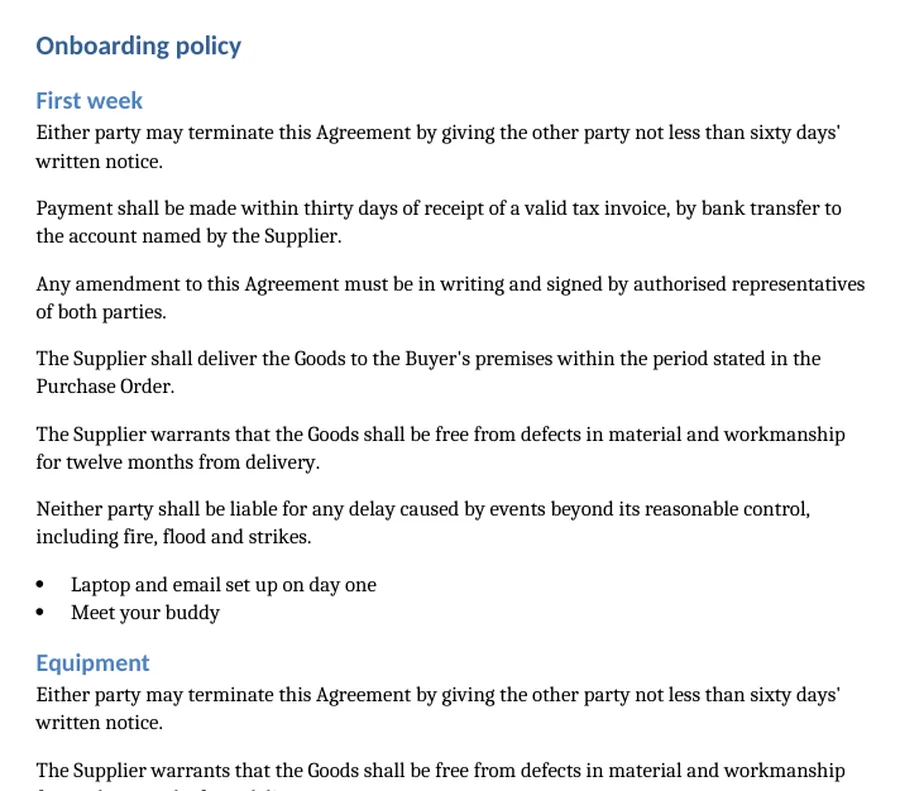
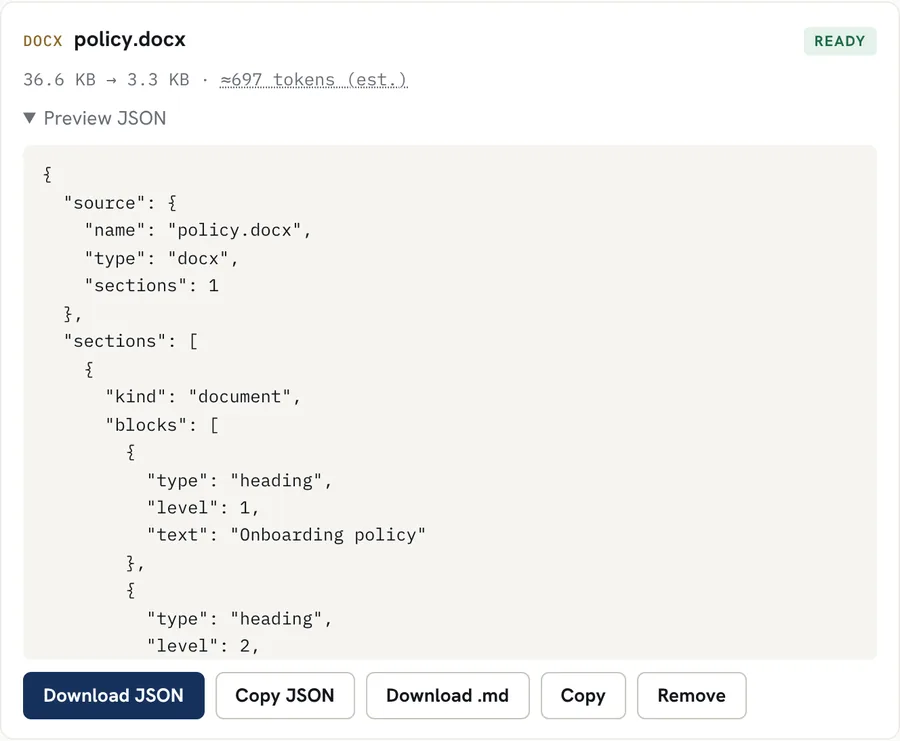
Headings with their level, paragraphs, lists and tables as separate blocks. Real result for a sample file with made-up data; download the sample and try it above.
Good for
- Importing document content into a CMS, a database or a search index
- Splitting a policy or contract into headings and sections for an AI tool
- Pulling the tables out of a Word report as data
- Checking the structure Word really stored (headings, lists) instead of how it looks
Worth knowing
- Only .docx files work. Old .doc files need to be saved as .docx in Word first.
- Text boxes, headers and footers, comments and tracked changes are not read.
- Images are skipped. Their captions, if typed as text, are kept.
- Bold and italic marks and link addresses are dropped: the JSON holds plain text.
How it works
- Drop your file into the box above, or tap to choose it. Several files at once work too.
- The file is converted inside your browser. Scanned pages and images are read with OCR in the languages you pick.
- Preview the Markdown, copy it, or download it as a .md file.
Questions
Is my file uploaded?
No. The file is read inside your browser tab and the JSON is built there. Nothing is sent to our servers.
What does the JSON look like?
A "source" object, then one "document" section holding blocks in order: "heading" (with a level), "paragraph", "list" (ordered or not, with nesting levels) and "table" (a header row and rows of text).
Are heading levels kept?
Yes, when the document uses Word's heading styles. Text that is only made big and bold, without a heading style, is a paragraph.