PDF · JSON
Convert PDF to JSON
Drop a PDF and download its text as JSON: one entry per page with the paragraphs found on it, ready for a script, a database import or an AI pipeline. Scanned pages are read with OCR. The file never leaves your computer.
● Runs in your browser. Your files are never uploaded.- Output: .json, .md
- Scans: OCR in 100+ languages
- Free: 15 files a day
.pdf.jpg.png.docx.pptx.xlsx.xls.csv.txtNo file to hand? (a made-up 6-page PDF).
What you get
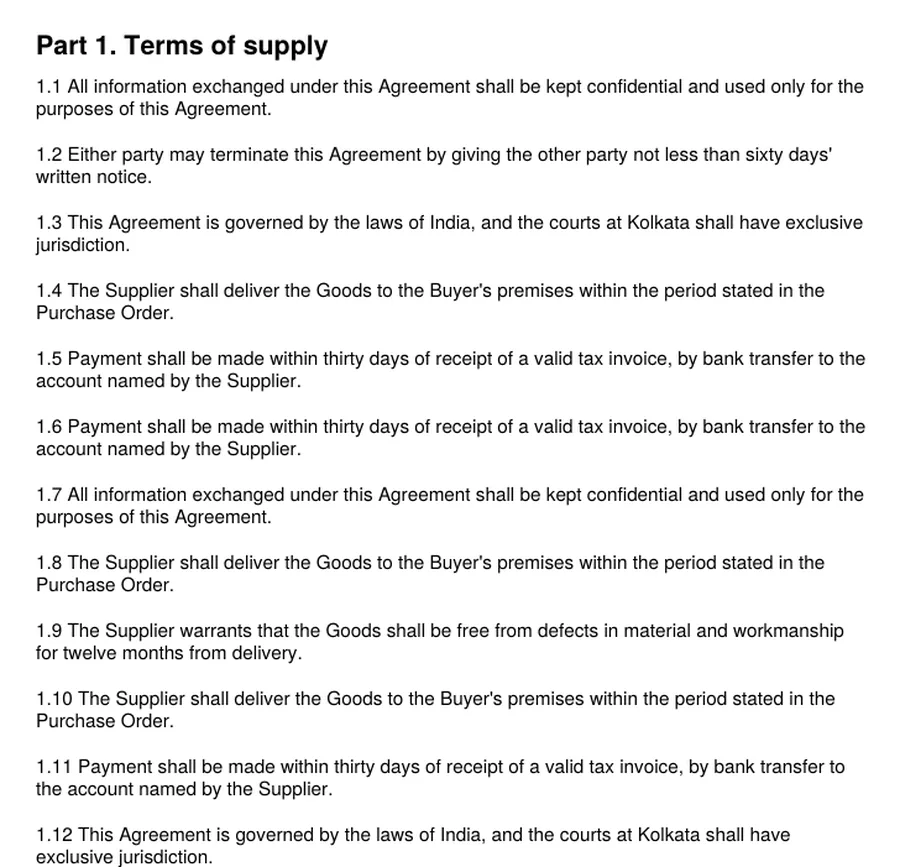
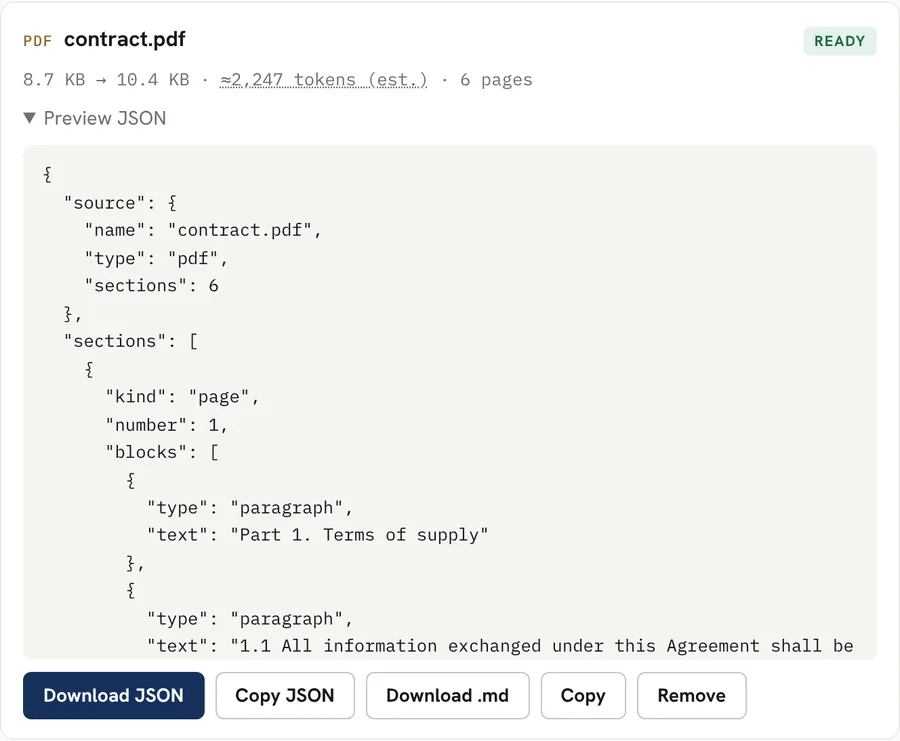
One section per page, with the page text in paragraphs. Real result for a sample file with made-up data; download the sample and try it above.
Good for
- Feeding PDF text into a script, a database or an app without writing a PDF parser
- Giving an AI pipeline page-numbered chunks it can cite
- Keeping scanned and typed pages in one file, with OCR pages marked
- Checking what text a PDF really contains, page by page
Worth knowing
- A PDF has no headings, lists or tables stored in it, only text placed on the page. So pages hold paragraphs; the converter does not guess headings or tables from the layout.
- Multi-column pages can come out with the columns interleaved. Check them against the PDF.
- Scanned pages are read with OCR and marked "ocr": true. OCR can misread faint or low-resolution scans.
- Password-protected PDFs need to be unlocked first.
How it works
- Drop your file into the box above, or tap to choose it. Several files at once work too.
- The file is converted inside your browser. Scanned pages and images are read with OCR in the languages you pick.
- Preview the Markdown, copy it, or download it as a .md file.
Questions
Is my file uploaded?
No. The file is read inside your browser tab and the JSON is built there. Nothing is sent to our servers.
What does the JSON look like?
A "source" object with the file name and type, then a "sections" list. For a PDF each section is a page with its number and a list of blocks. Blocks of type "paragraph" hold the text, with line breaks kept as \n.
Can I get tables as JSON?
Not from a PDF: it does not store tables, only text positions. For tables in a bank statement, use the bank statement to Excel page, which finds the columns from the text positions.
Why not just use a library?
If you are processing files in bulk on a server, a PDF library is the better tool. This page is for converting a file now, with nothing to install and without uploading it.